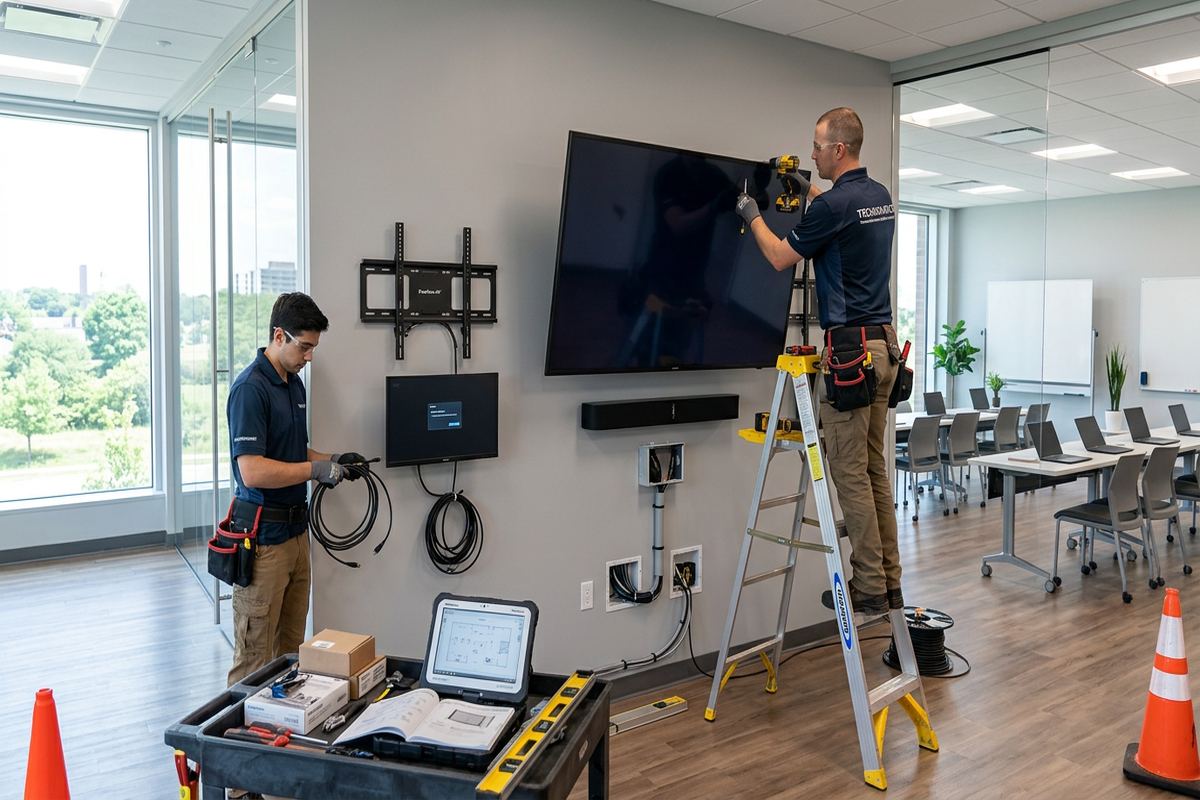
UnifiedLink provides TV wall mounting for Cornwall homes, offices, warehouses and commercial spaces. We assess the wall structure, viewing position, power and cable routes before recommending mounting hardware. Installation includes secure attachment, careful alignment, on-site setup and a practical handover, with options for concealed cabling and connected displays.
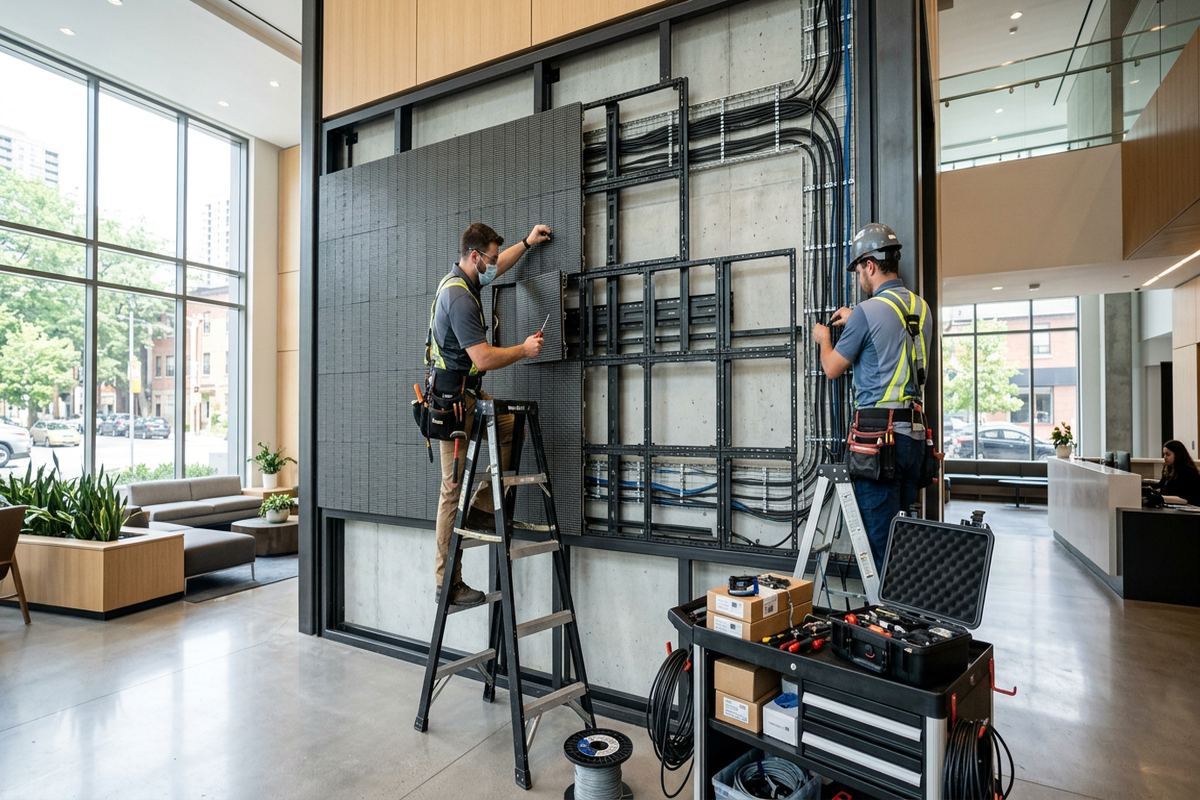
TV Wall Mounting for Cornwall Properties
A properly mounted television depends on more than screen size and a suitable-looking wall. UnifiedLink starts by checking the wall construction, mounting height, seating position, nearby power and the equipment connected to the display. Cornwall projects often involve older housing stock, where plaster, masonry, narrow framing or previous renovations can complicate attachment. Riverfront homes may also have large windows and changing daylight that affect glare. These conditions are reviewed before drilling so that the proposed position, bracket type and cable route suit the room rather than forcing a standard installation onto an unsuitable surface.
Residential installations can range from a straightforward fixed mount in a Riverdale family room to a full-motion bracket in a renovated Le Village property. The bracket must support the television while allowing the movement, access and ventilation required by the manufacturer. Stud spacing, masonry condition and wall finishes are checked before hardware is selected. We also consider whether connected devices will sit in nearby furniture, on a shelf or in another location. This planning helps avoid visible cable loops, blocked inputs, restricted articulation and a television mounted too high for comfortable everyday viewing.
Commercial display mounting requires the same structural care, with added attention to audience flow, operating hours and equipment access. In Cornwall Centre storefronts, Business Park units and logistics warehouses, screens may support presentations, dashboards, training, menus or general information. The installation plan accounts for sightlines, mounting height, cable protection and future servicing. Before pricing, UnifiedLink completes a site assessment appropriate to the service and travel distance. The resulting written scope identifies equipment, device placement, cable routes, exclusions, equipment ownership and warranty information, giving the property owner or manager a clear basis for approval.
- Fixed, tilting and full-motion mounting options
- Residential and commercial display installation
- Wall structure and viewing-angle assessment
- Cable routing planned before drilling
- Written scope before installation
Assessing Walls in Cornwall’s Older Buildings
Older buildings rarely reveal their full construction from the finished surface. A wall that appears to be drywall may cover plaster, wood lath, masonry, strapping or framing altered during earlier renovations. In Cornwall’s older housing stock, these layers can affect fastener choice, bracket position and the feasibility of in-wall cabling. UnifiedLink checks accessible indicators and uses appropriate detection methods before making penetrations. Where the preferred screen position lacks suitable support, we discuss alternatives such as shifting the mount, adding approved backing or choosing a bracket with a mounting pattern better suited to the available structure.
Masonry and frame construction require different installation methods. Concrete block or solid masonry can provide a strong mounting base when it is sound and the correct anchors are used, but joints, hollow sections and brittle finishes need careful handling. Wood-frame walls depend on secure attachment to suitable framing or installed reinforcement rather than drywall alone. Metal framing presents another set of constraints and may require backing or a revised design. The goal is not simply to make the bracket feel tight during installation; the complete assembly must remain appropriate for the television’s weight, leverage and expected movement.
Finished surfaces also influence how the work is approached. Decorative panelling, tile, stone veneer and restored plaster can make relocation or repair difficult if a mounting plan changes later. Before drilling, we confirm the intended screen centre, bracket footprint and likely cable openings with the customer. Cornwall landlords, tenants and condominium occupants should obtain any required approvals before work begins, particularly where shared walls, exterior walls or building rules are involved. UnifiedLink can document the proposed device placement and cable route so the responsible owner, board or property manager can review the planned work before authorizing installation.
- Plaster, lath and drywall assessment
- Masonry and concrete-block mounting methods
- Attachment to suitable structural support
- Planning around fragile finished surfaces
- Documentation for owner or condo approval
Choosing the Right TV Mount
Bracket selection begins with compatibility, not appearance. The television’s mounting pattern, weight and manufacturer instructions must align with the mount’s stated limits. A fixed bracket keeps the screen close to the wall and suits rooms with a direct viewing position. A tilting mount can improve the angle when the display must sit higher, while a full-motion arm supports side-to-side adjustment and easier rear access. Greater movement also creates greater leverage on the wall, so the structure and attachment points need to be suitable for the bracket when fully extended, not only when folded flat.
Room use determines which features are genuinely helpful. A television facing one seating area may not need articulation, while an open kitchen and living space can benefit from controlled rotation. In offices or training rooms, a tilting display may improve visibility for people seated at different distances. Bedrooms often have limited wall area, but placing a screen excessively high can make viewing uncomfortable. We review the intended viewers, furniture arrangement, door swings, natural light and walking paths. This produces a practical mounting height and bracket choice rather than relying on a generic measurement that ignores the actual space.
Equipment access should remain possible after the screen is mounted. Some televisions place power, network and media inputs where a low-profile bracket can restrict connector clearance. Full-motion mounts provide access but require enough cable length and controlled routing so movement does not pull connections or pinch conductors. Soundbars, streaming devices, game systems and media players add further spacing considerations. UnifiedLink plans these components together and confirms which equipment is included in the scope. Where customer-owned devices are installed or configured, handover uses the customer’s own credentials rather than shared installer accounts.
- Mount matched to screen specifications
- Fixed, tilt or articulated positioning
- Connector clearance checked before installation
- Viewing height based on actual room use
- Cable slack managed for moving brackets
Cornwall, Ontario
TV wall mounting in Cornwall, scoped in writing first
Book a site assessment and get equipment, routes, exclusions, and warranty on paper before anything is installed.
Concealed Cabling and Power in Cornwall
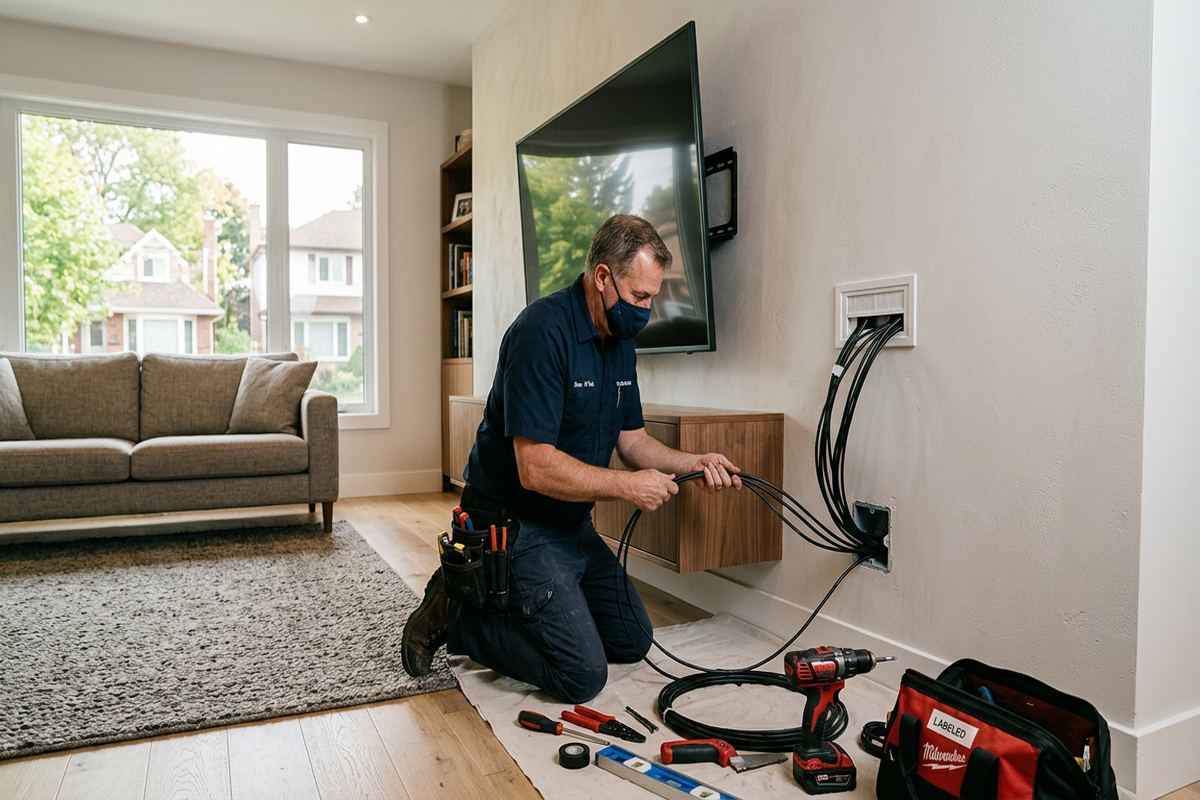
A clean installation depends on a cable path that is safe, serviceable and appropriate for the wall. Low-voltage HDMI, network, control and audio cables may be routed inside a suitable wall cavity, through surface raceway or along an agreed concealed path. UnifiedLink uses continuous labelled cable runs where new low-voltage cabling is included. Labels make future changes easier at both ends and reduce confusion when equipment is replaced. Before opening a wall, we consider framing, insulation, fire blocking, masonry and other hidden obstructions that could prevent the shortest route from being practical.
Power is treated separately from low-voltage signal cabling. Television power cords and extension cords should not be hidden in wall cavities unless specifically approved for that use. If a new receptacle or other line-voltage work is required, the scope must identify how that work will be handled by an appropriate electrical provider. We coordinate the display position and cable openings with the available power location so plugs, adapters and surge-protection equipment do not interfere with the mount. The objective is a tidy result without using an unsafe shortcut to make visible wires disappear.
Signal planning matters when a television is connected to equipment across the room or in a cabinet. Long video paths, high-resolution sources and control requirements may call for different cabling or extension equipment than a short patch cable. In Cornwall homes, existing renovations can leave abandoned or inaccessible wires that should not automatically be reused. Commercial sites may need protected routing to prevent accidental disconnection. We test included connections during on-site configuration and record installed routes in the as-built information, helping the customer understand where cables terminate and which components belong to the completed system.
- In-wall routing where construction permits
- Surface raceway for difficult wall cavities
- Continuous labelled low-voltage cable runs
- Separate planning for power and signal
- Connection testing during on-site setup
Riverfront Homes and Exterior-Facing Walls
Riverfront homes can present mounting decisions that are less common in an interior suburban room. Large windows may produce glare at different times of day, while open layouts can create several competing viewing angles. Exterior-facing walls may contain insulation, vapour-control layers or masonry that restrict straightforward cable fishing. We assess the preferred location in relation to daylight, seating and wall construction before recommending a bracket. Where glare cannot be avoided through placement alone, a tilting or articulating mount may provide useful adjustment without requiring the television to occupy an awkward part of the room.
Cornwall winters and repeated freeze-thaw cycles are relevant when work involves exterior displays, semi-protected areas or penetrations near the building envelope. Equipment must be suitable for its environment, and exterior openings require compatible sealing methods to limit water entry. A standard indoor television should not be treated as an outdoor display merely because it is under an overhang. Temperature, condensation, moisture and direct exposure can affect both the screen and its connections. UnifiedLink reviews the proposed environment and identifies limitations or exclusions in the written scope rather than assuming indoor hardware will perform reliably outside.
Even for an indoor television, drilling into an exterior wall demands care. Cable paths should not unnecessarily disturb insulation or compromise weather-resistant assemblies. Penetrations through masonry, siding or other exterior finishes need suitable placement, protection and sealing. In the Guindon Park area and other properties with additions or mixed construction, the wall assembly may change across a single room. We select the route only after considering accessible evidence of those layers. If conditions discovered during work differ materially from the assessment, the route or scope is reviewed with the customer before proceeding further.
- Glare and window placement reviewed
- Exterior-wall cable routes assessed carefully
- Weather-suitable equipment identified where required
- Exterior penetrations sealed with compatible materials
- Freeze-thaw exposure considered during planning
Commercial TV Mounting in Cornwall
Commercial screens must remain visible without obstructing normal operations. In Cornwall Centre and other commercial strips, a display may need to fit above shelving, behind a service counter or within a customer waiting area. Business Park offices may use screens for meetings, monitoring or staff communication, while logistics warehouses often need information displays that can be seen from defined work zones. Each setting changes the appropriate height, bracket, cable protection and control method. The assessment considers who will view the screen, who may need to service it and how nearby activity could affect the installation.
Industrial units often combine concrete block, steel framing, exposed services and high ceilings. These features can support practical cable routes, but they also introduce restrictions around mounting surfaces, access equipment and active work areas. A screen should not be placed where forklifts, stored materials, doors or routine handling create an avoidable impact risk. We coordinate the proposed position with the site contact and identify any required access conditions before installation. Where work affects a leased unit, the tenant should confirm landlord approval and any rules concerning wall penetrations, restoration or cabling in shared building areas.
A commercial handover needs to support the people who will operate the display after installation. UnifiedLink configures included inputs, network settings and connected equipment on site, using customer-owned credentials where accounts are required. We explain basic operation and provide an as-built record showing the installed device and cable information covered by the scope. For sites involving several trades or technology components, one accountable contractor for the display and low-voltage portion reduces gaps between mounting, cabling and configuration. Exclusions, customer-supplied equipment and ownership are documented so responsibilities remain clear.
- Storefront and office display mounting
- Warehouse information-screen installation
- Cable protection in active work areas
- Coordination with landlord or site management
- Documented configuration and handover
Planning Placement, Soundbars and Devices
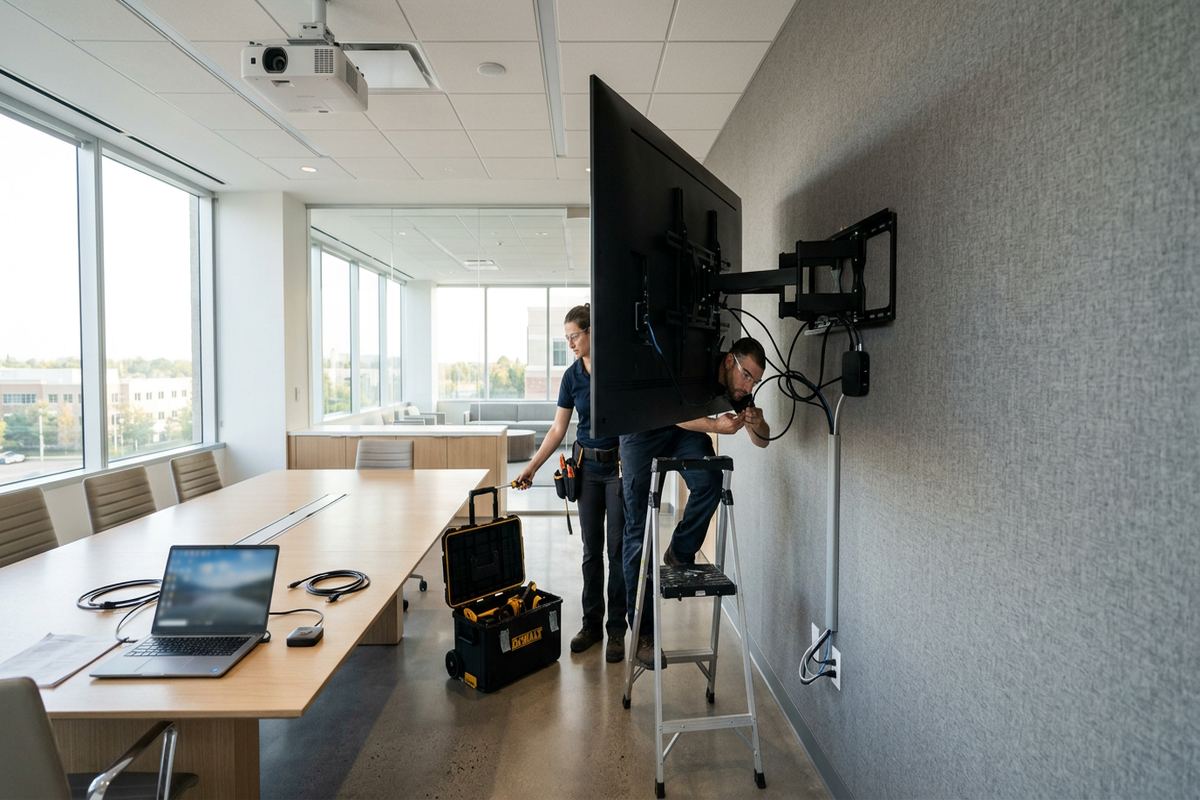
Screen placement should be considered alongside every device that supports it. A soundbar may attach to the television bracket, mount independently below the screen or sit on furniture, and each option changes spacing and cable requirements. Cameras, microphones and presentation equipment can also affect the preferred height in a meeting room. At home, streaming boxes, game consoles and receivers need ventilation, power and a usable control path. We map these components before installation so the final arrangement does not leave a newly mounted television with nowhere practical for the equipment required to operate it.
Furniture dimensions are especially important when a wall-mounted television sits above a console, fireplace or built-in cabinet. The screen must clear doors and décor while remaining at a reasonable viewing height. Fireplace installations require assessment of the wall, heat conditions, mantel projection, power and cable access; not every fireplace location is suitable. A mount that lowers or extends may be considered only when the structure and product specifications support it. UnifiedLink does not assume that an empty space above a fireplace is automatically an acceptable display location, regardless of how common that arrangement appears.
Future changes can be allowed for without overcomplicating the current installation. An accessible cable route, labelled terminations and suitable connector clearance make it easier to replace a source or television later. Spare cabling may be discussed where the path will become difficult to reach after finishing, but it is included only when agreed in the scope. In Cornwall renovations, coordinating mounting before walls are closed can provide better backing and cleaner routes. For finished rooms, surface raceway or carefully located openings may offer a less disruptive solution than extensive wall repair solely to conceal a short cable path.
- Soundbar positioning and attachment
- Space for streaming and media devices
- Fireplace suitability reviewed before mounting
- Ventilation and connector access maintained
- Future cable access considered in the scope
Cornwall Site Assessment and Installation Process
Every project begins with enough information to understand the screen, wall and intended use. Photos and equipment details can help with initial planning, but a site assessment is completed before pricing. Assessment timing depends on the service and travel distance. During the visit, we review construction, mounting position, cable paths, power availability, connected devices and access constraints. Requests sent during business hours are answered the same day, while after-hours requests are answered the next business day. This response wording applies to the request itself and is not a promise that assessment or installation will occur within a fixed period.
Following the assessment, the customer receives a written scope covering the equipment, cable routes, device placement, exclusions, equipment ownership and warranty. This is the point to confirm whether UnifiedLink is supplying the mount, installing customer-owned hardware, routing new low-voltage cabling or configuring connected devices. Condo, landlord or property-management approvals should also be resolved before installation is scheduled. Clear documentation is particularly useful in older Cornwall buildings, where assumptions about hidden structure can lead to changes. Any known limitations are recorded so the approved plan reflects the visible and accessible conditions found during assessment.
On installation day, the mounting position is confirmed before penetrations are made. The bracket is attached to suitable structure, the television is installed and levelled, and included cables are routed according to the agreed scope. Connected equipment is configured on site and checked for normal operation. At handover, the customer retains their own account credentials and receives an as-built record for the installed work. UnifiedLink remains one accountable contractor for the specified mounting, low-voltage cabling and configuration, avoiding uncertainty about which party is responsible for completing or documenting those connected tasks.
- Site assessment completed before pricing
- Written scope with ownership and exclusions
- Final placement confirmed before drilling
- On-site configuration with customer credentials
- As-built record provided at handover
Cornwall neighbourhoods we cover
- Le Village
- Riverdale
- Cornwall Centre
- Guindon Park area
- Business Park
TV wall mounting in Cornwall — common questions
Can you mount a TV on plaster walls in Cornwall?
Yes, when the underlying construction provides a suitable attachment method. Many older Cornwall homes have plaster over wood lath, masonry or later framing, so the finished surface alone does not determine the hardware. We assess the wall, television and bracket before pricing. If the preferred location lacks suitable support, we discuss repositioning, approved backing or another practical mounting approach.
Can TV cables be hidden inside the wall?
Often, but feasibility depends on the wall cavity, insulation, fire blocking, masonry and the route to connected equipment. Cornwall’s older and renovated properties can contain unexpected obstructions. Where in-wall routing is unsuitable, surface raceway may provide a clean alternative. Low-voltage cables are planned separately from power, and continuous new runs are labelled when included in the scope.
Do I need landlord or condo approval?
Tenants and condominium occupants should confirm approval before work begins, especially for penetrations into shared, exterior or masonry walls. Rules can also govern cable routing, permitted work hours and restoration. UnifiedLink can provide a written scope describing the proposed Cornwall installation, equipment placement and cable route, allowing the landlord, condominium board or property manager to review the work before authorization.
Can you mount a TV above a fireplace?
Possibly, but the location must be assessed rather than assumed suitable. We review the mounting structure, heat conditions, mantel projection, viewing height, power and cable access. Some fireplace arrangements place the television too high or expose it to unsuitable temperatures. For Cornwall homes with masonry fireplaces or renovated surrounds, attachment methods and concealed routes require particular attention before a bracket is selected.
Do you install displays in Cornwall warehouses and offices?
Yes. UnifiedLink mounts displays in offices, storefronts, industrial units and logistics warehouses. Planning considers concrete block or framed walls, viewing distance, cable protection, equipment access and nearby operations. In Cornwall’s Business Park, placement may also need coordination with a landlord or site manager. On-site configuration and as-built documentation can be included in the defined scope.
How soon will you respond to my request?
Requests sent during business hours are answered the same day, and after-hours requests are answered the next business day. This confirms when UnifiedLink will respond, not a guaranteed installation date. A site assessment is completed before pricing, and its timing depends on the service and travel distance. The assessment allows the Cornwall installation scope, wall conditions and equipment requirements to be documented accurately.
Coverage in Cornwall is confirmed against the address before we quote. See everything we install in Cornwall or the province-wide tv wall mounting page.